OS: macOS Tahoe 26.01. (Pro, M3 chip) PsychoPy version: 2024.2.4 Python v 3.10.11 Standard Standalone Installation? yes URL of experiment:https://run.pavlovia.org/avisha/goal_memory_1 Do you want it to also run locally? no What are you trying to achieve?:
Run self-paced routines that end either when the participant responds or automatically after 15 seconds.
Some routines involve text responses using the beta textbox feature. These routines do not have the 15-second limit and should end only when the participant clicks a button.
What specifically went wrong when you tried that?:
I ran the experiment online with 40+ participants. In more than half of them, some routines were skipped at random—displaying for less than a second. This happened both in the self-paced routines and sometimes in the text response routines.
Description of routines:
The experiment consists of 4 short movies (8–10 minutes). After each movie, there are around 40–50 self-paced routines and 2–3 text-response routines where the participant must click a button to end the routine. Random different routines for different participants were skipped during the online run.
Self-paced routines are of three types:
Order Routine (screenshot attached):
Two pictures are displayed on the screen.
The participant selects one picture, and the routine ends.
Time Routine (screenshot attached):
Two pictures are displayed on the screen.
The participant clicks on a slider rating scale, and the routine ends.
Recog Routine (screenshot attached):
One picture is displayed on the screen with a multiple-choice question.
The participant responds using the keyboard (a, b, c, or d).
I have a custom code component in all self-paced routines (code type set to Auto → JS):
Begin Routine (Python):
I do not have this code in the text-response routines. In those, the routine ends when the participant clicks a button defined as a clickable stimulus. Despite this, sometimes these routines also get skipped.
Issue:
For some participants, certain routines were skipped randomly—sometimes Order, Time, or Recog routines would display for less than a second or be skipped entirely.
Would upgrading to the new PsychoPy 2025 version help prevent routines from being randomly skipped?
Should I add a fixed minimum display interval for my routines, for example 1 second?
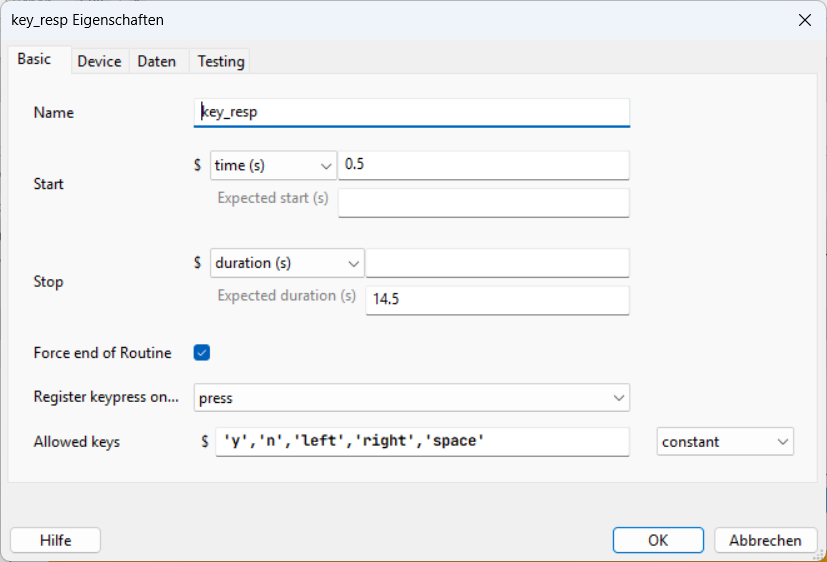
As shown in the screenshots, all component durations are currently left blank. The routines depend entirely on:
Participant clicks
Slider responses
Keyboard responses
Custom code that ends the routine after 15 seconds if no response occurs
Would it be better to set the duration of all components to 15 seconds, and then allow the routine to end early if the participant responds?
Is there an onscreen button people click that is in the same location?
This sounds like a bug where the mouse click is carried over to the next routine.
What is the start condition/time of the onscreen button/mouse response? if a text response is required could you try setting the start condition to “condition” (rather than tims(s)) and have the condition as textbox.text (where you replace textbox with the name of your textbox)
If you have 40-50 self-paced routines which are copies rather than a loop, the issue could be due to differences between the routines or memory due to the inefficiency of the code (creating many more objects that needed).
@Becca There is clickable stimuli in the Order routine, where participants have to click on picture stimuli. However, the Timeand Recog routines are also getting “dropped,” even though they don’t have clickable stimuli. The Time routine has a slider response, and the Recog routine has a keyboard response.
For these routines, should I also change the start to a condition? If so, what condition would be appropriate?
Additionally, there is one routine I didn’t describe earlier that has a text response. I will implement the solution you suggested for that routine.
@wakecarter Each routine has different stimuli. However, I originally created them by copy-pasting in Builder and then modifying each stimulus afterward.
I found out the routines are getting dropped based on the routine in-built onset/offset times, and there were also no responses recorded for those routines. Could it be that participants actually saw the routine, but the onset/offset times were recorded incorrectly, so the data didn’t save? I definitely want to ensure the data is saved correctly, but I’m also curious about what the participant experience might have been in this case.
Also do you think the custom code is okay? The variable name there like startTime is same in all routines, do you think maybe that is not updating properly?
This approach is not advised. You can repeat aka loop a routine and show different stimuli each time the routine is repeated. I suggest to switch to a looped version of your experiment. Such approach also simplifies debugging.
I changed the entire experiment. But now I have a new issue.
I have a loop with two routines — Order (mouse response) and Time (slider response). Each routine shows two images and some text.
I want each routine to be self-paced, ending immediately after a response, but with a maximum duration of 15 seconds.
I set the duration to 15s for all components (including mouse/slider), with “end routine on valid click” for the mouse and “force end of routine” for the slider.
Problem:
When I make a response, all stimuli disappear immediately, but the screen stays blank until the full 15 seconds pass.
Any idea why this happens or how to make the routine end right after a response without the blank delay?