We are planning an essential update to Pavlovia on 27 December 2025.
This is necessary as part of our ongoing security updates and usually such updates have minimal impact on users but, on this occasion, the upgrade is more substantial than usual. It will require some time offline while we upgrade and test, and will also require users to update their versions of PsychoPy to continue synchronising experiments with Pavlovia due to an incompatibility between previous versions of PsychoPy and the latest versions of GitLab.
The GitLab and Pavlovia servers will be taken offline on 27 December 2025. We anticipate that they will not be offline for more than a day.
Updating PsychoPy versions
Due to an update to the authorisation mechanisms (specifically the fact that authorisation tokens will expire every 2 hours and need refreshing) you will need to upgrade PsychoPy to get a smooth experience if you intend to sync studies with Pavlovia.
The update will NOT affect users that run only lab-base (Python) experiments without Pavlovia interaction. And it will NOT affect participants running your existing studies, except for the short interruption.
After the update:
PsychoPy versions 2025.2.3 onwards will automatically refresh its security token after the first login and login/sync will then be seamless
PsychoPy versions 2025.1.0 - 2025.2.1 will log in but the security token will expire every 2 hours and you will need to log out and back in to continue synchronising projects with the server
PsychoPy versions prior to 2025.1.0 will fail to log in to Pavlovia entirely. If you really need to use these older versions then you will need to push/pull your experiment/data using an alternative git interface, such as GitHub Desktop or with terminal commands. We provide information on how to do this here.
We understand that this will create some inconvenience to your workflow, but these upgrades are important to guard against potential malicious attacks. As always, we consider the security and privacy of your data our utmost priority.
Thank you for the heads up! I have one clarification question:
I have a study that’s currently running, that switches between Qualtrics surveys and tasks hosted on Pavlovia a couple of times. Am I correct in understanding that the tasks on Pavlovia will not be working for my participants on December 27th?
If so, I’ll make sure to warn them about that (and temporarily close data collection on the 27th).
I couldn’t find any details about this change, but it seems that before the maintenance, the links for running experiments were case-insensitive. However, since yesterday, links that are entirely in lowercase (for example) are returning a 404 error.
As per last night’s message, I am not quite done with the update, as a consequence of which you cannot run experiments just yet. The error you are getting is accompanied with a message that mentions that we are doing maintenance work. It’s not about case sensitivity.
Thank you for the response and I hope it will be exactly as you described—this was good news.
I am already aware of the 500 error and the maintenance-related message because I encountered it when calling this endpoint. However, for the case I mentioned—where it was returning a 404—I wasn’t sure whether we should prepare for such a change, which is why I wanted to bring it up with you.
Unfortunately, the case-sensitivity issue with project names is affecting us.
We’ve now applied patches to the places where we navigate to Pavlovia, using lowercase name logic.
As far as I can tell, case has always been something important for the path. Indeed changing demos/stroop to demos/Stroop returns an error on the development server, which has not been updated at all.
Are you certain that the issue just appeared?
Alright, the issue had to do with the absence of public email on your profile. I have fixed that on the back-end, and you can now sign-in on pavlovia.org.
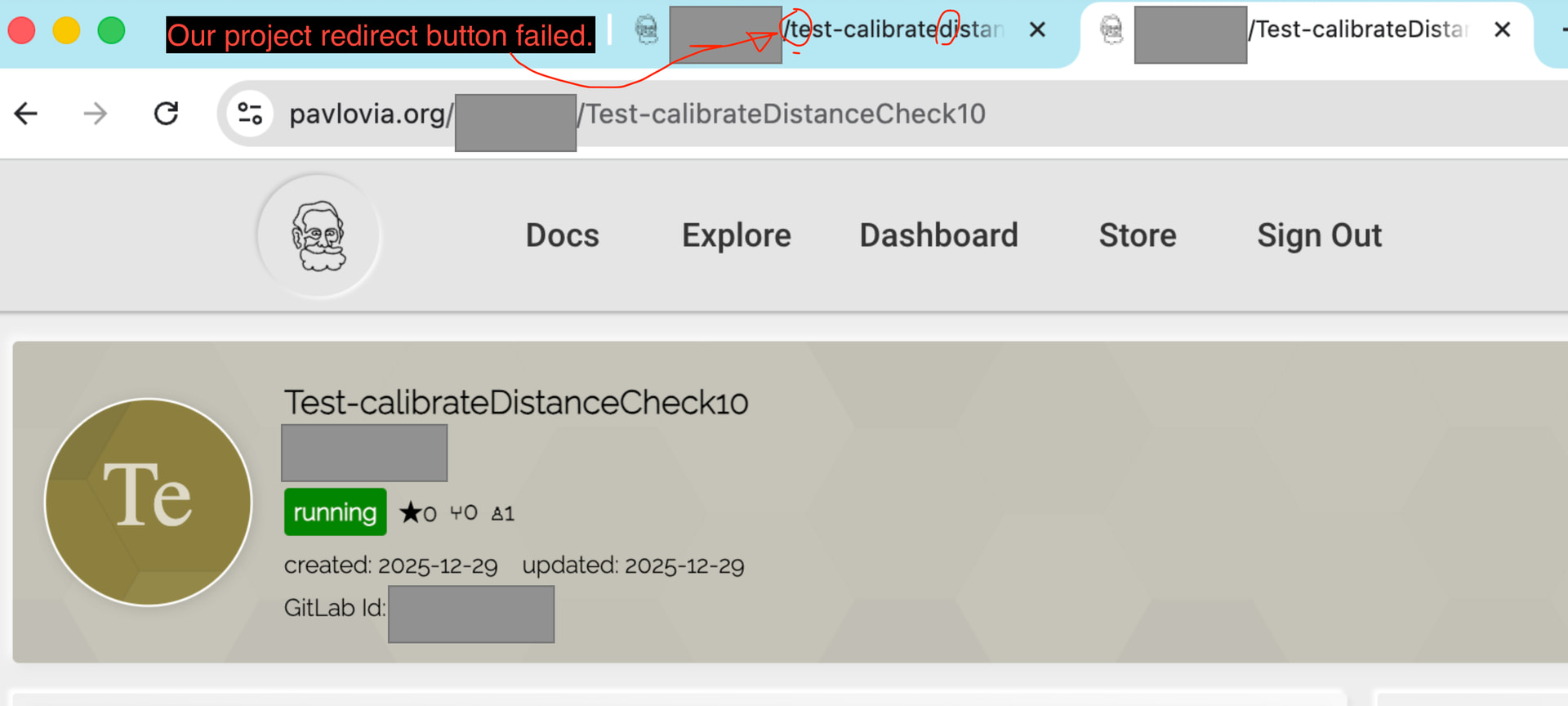
Thank you for following up. Here is a report we received stating that our project’s redirect button to the created experiment does not work. The user also mentioned that the experiment is running on Pavlovia. As you can see, the only difference is that our redirect button uses the project name in lowercase, which has been the case since 2022.
Just a quick note that if you are using pavlovia post-updates today you might need to sign out of pavlovia and sign back in (the classic turn it off and on…).
Please let us know if you encounter any difficulties.
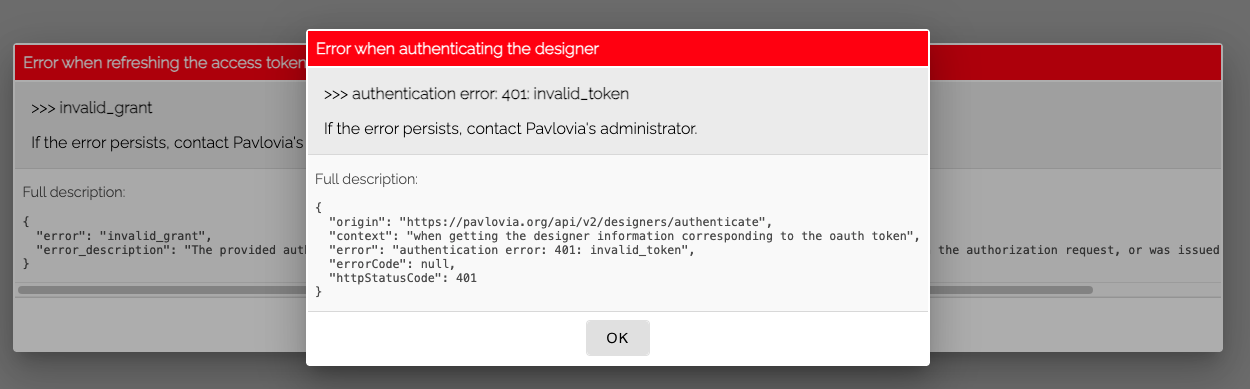
Somehow I cannot access the Dashboard on the Pavlovia web interface (so I can’t run experiments, download data, etc). When I click Dashboard, I see the following:
On the other hand, I can log in to GitLab and see my code, so my password is correct. Is this related to the maintenance? I never had this issue before. Thanks ahead!